AI in MyEduManager
Ask your institution anything. Get answers only you are allowed to see.
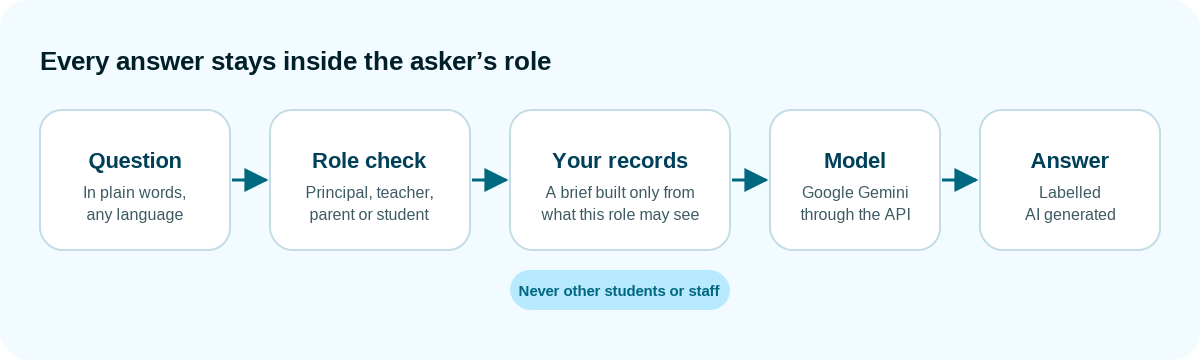
Every answer is built from your own records and limited to the role of the person asking. Every summary is labelled as AI generated.
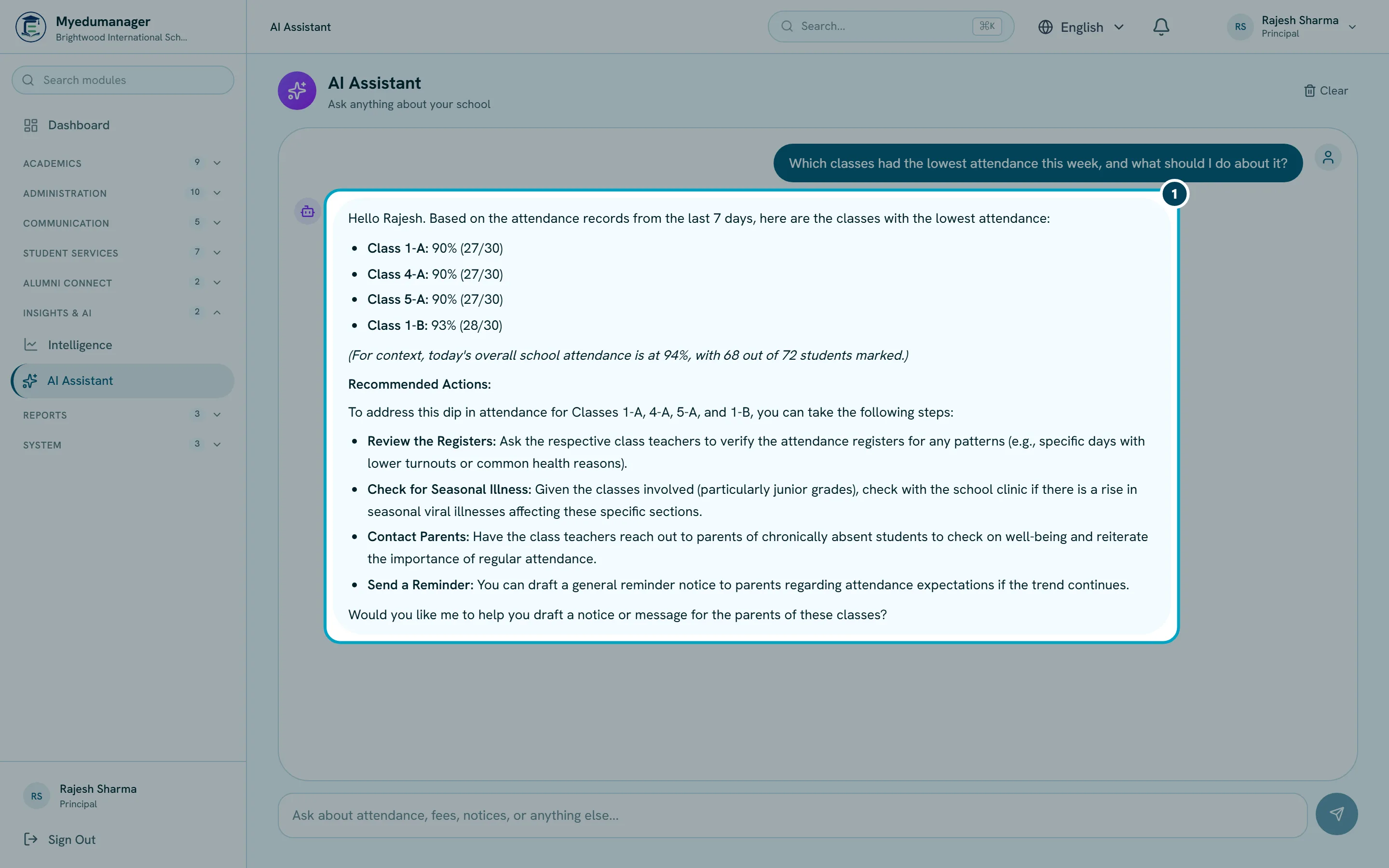
- Answers from your school data. Class wise figures for the last seven days, from your own records.
Sample institution and data.
Ask
The assistant knows who is asking
Before the model sees a question, MyEduManager builds a short brief from the records that person may see, and nothing else.
| Who asks | What the assistant can use |
|---|---|
| Principal and leadership | School wide attendance, class wise attendance for the last seven days, staff on duty, overdue invoices, leave, admissions and facility tickets |
| Teacher | Their own sections: attendance today, class wise attendance for the week, open homework |
| Parent | Each of their own children: attendance, overall marks and outstanding invoices |
| Student | Their own attendance, marks and dues |
| Alumni | No school records at all; help with Alumni Connect and careers |
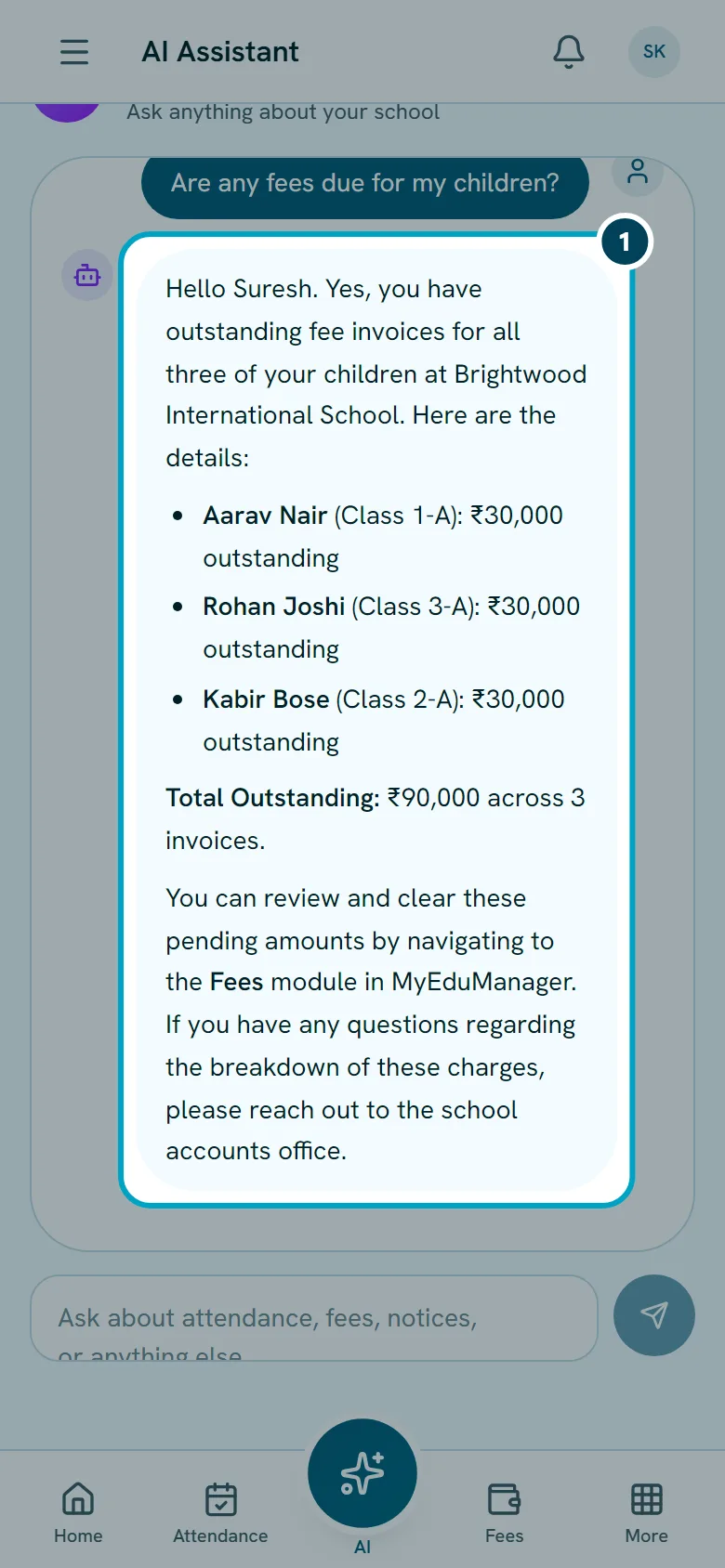
- Only your own child's data. A parent sees their own children and nothing else.
Sample institution and data.
See an answer
A principal asks about attendance
A real answer from our sample school, lightly shortened. This replay does not call the AI.
Which classes had the lowest attendance this week, and what should I do about it?
Hello Rajesh. Based on the attendance records from the last 7 days, here are the classes with the lowest attendance:
- Class 1-A: 90% (27/30)
- Class 4-A: 90% (27/30)
- Class 5-A: 90% (27/30)
- Class 1-B: 93% (28/30)
Recommended actions:
- Review the registers: ask the class teachers to look for patterns, such as particular days of the week.
- Check for seasonal illness: check with the school clinic whether a viral illness is going round these classes.
- Contact parents: have the class teachers reach out to parents of students who are often absent.
Would you like me to help you draft a notice for the parents of these classes?
Explain
Your dashboard, explained in a paragraph
On the Intelligence dashboard, Explain these numbers writes four to six plain sentences: what stands out, what is going well and the single most useful next step. It runs only when someone asks, from the figures on the screen.
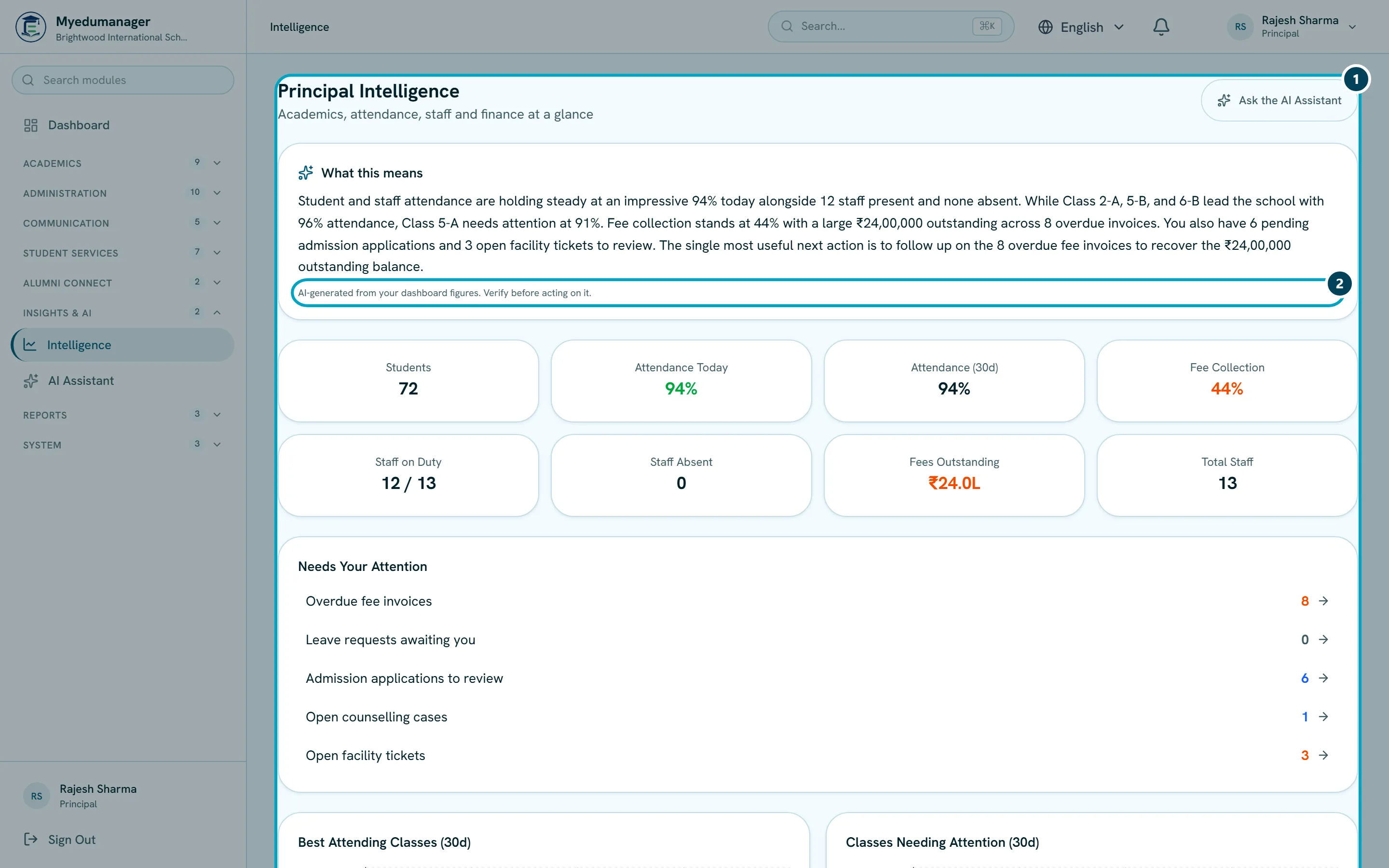
- Plain language summary, from your figures. A paragraph and one suggested next step.
- Always labelled as AI. Every summary asks you to verify before acting.
Sample institution and data.
Answers on WhatsApp, in the parent’s language
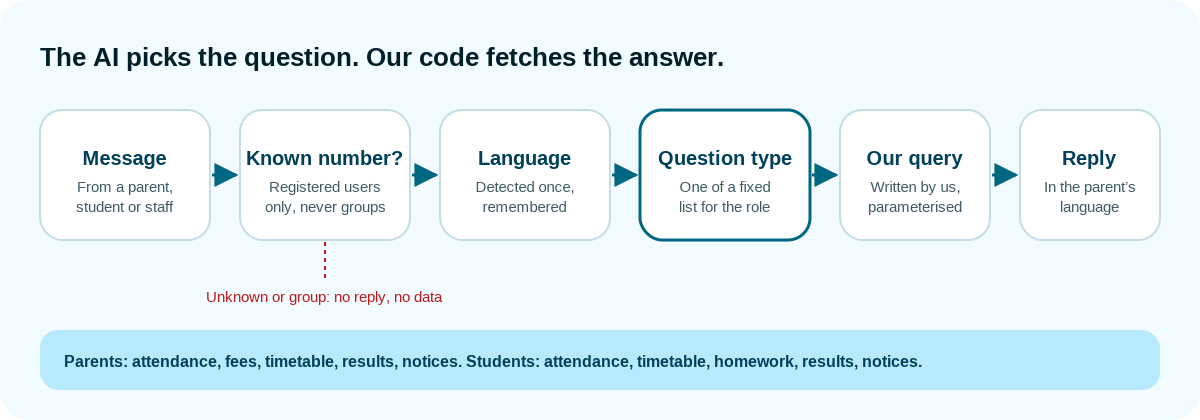
Parents, students, teachers and administrators message the institution’s WhatsApp number. The AI recognises the language and the kind of question; our own code fetches the answer and the reply comes back in the same language.
| Role | Questions it understands |
|---|---|
| Parent | Attendance, fees, timetable, results, notices |
| Student | Attendance, timetable, homework, results, notices |
| Teacher | Timetable, attendance, homework, notices |
| Administrator | School summary, fees, staff attendance, notices |
Messages from numbers that are not registered, and from group chats, get no reply and reach no data.
How it stays safe
Guardrails built into the product, not added on top
Scoped to the role
The brief behind every answer holds only what the person asking may see.
The AI never writes queries
On WhatsApp it picks one question type from a fixed list; a query we wrote fetches the data.
Unknown numbers get nothing
Unregistered numbers and group chats cost nothing and reach no data.
Labelled and limited
Summaries say they are AI generated. Each person has an hourly usage limit.
Questions about the AI
Which AI model do you use?
Google Gemini, through the Gemini API. Questions and a short brief limited to the asker’s role are sent to generate each answer.
Is our data used to train the model?
How inputs are handled is governed by Google’s terms for the Gemini API. We send only the question and the role scoped brief, never whole records or files. Ask us for the details your legal team needs.
Can the AI change our data?
No. The assistant reads a brief and writes an answer. It cannot mark attendance, change marks or send messages on its own.
Can we turn the AI off?
Talk to us during the walkthrough about how AI is set up for your institution.
Does it work in Indian languages?
Yes. The interface is available in ten languages, and the WhatsApp assistant replies in the language the parent writes in.
See the assistant on your own data
In a walkthrough we show the assistant, the dashboard summaries and the WhatsApp answers for each role.